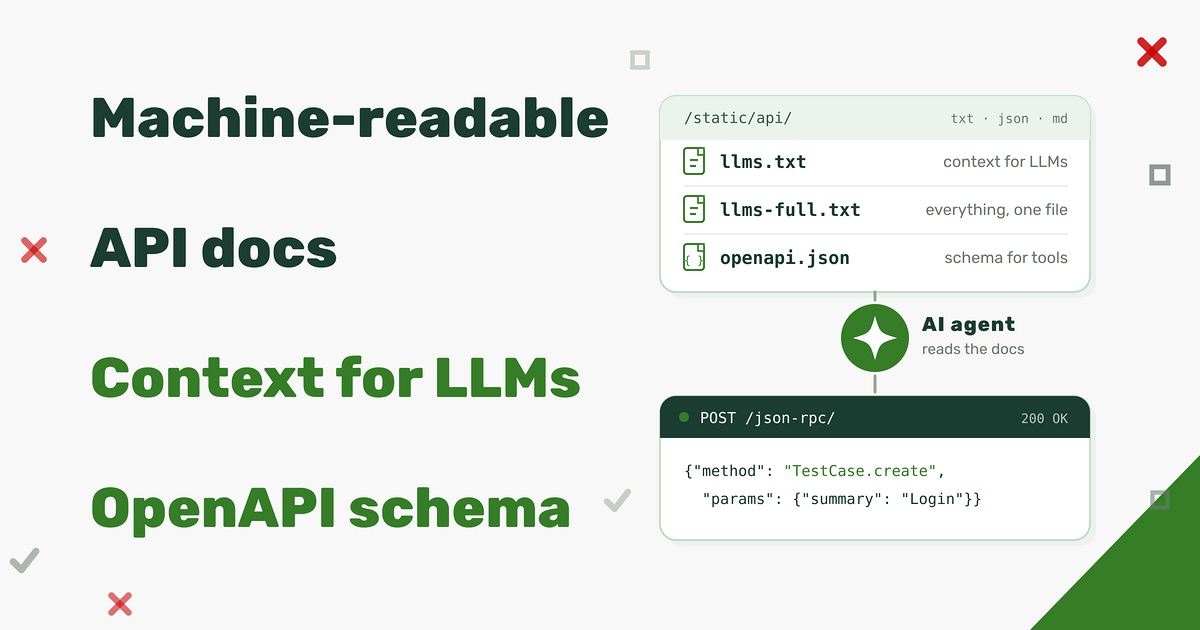
Kiwi TCMS has a rich API covering its entire data model. This API is exported via XML-RPC and JSON-RPC protocols. Until now API method reference lived in the official documentation - a long list of method signatures meant to be read by a person, top to bottom.
That works reasonably for a human developer however it is not optimal for a
coding assistant: large language models and agentic
tools need the API description as context - more structured, complete, example rich
and small enough to fit into a prompt. Starting with Kiwi TCMS v17.0 every instance ships a
machine-readable description of the available API under https://<kiwitcms-host>/static/api/.
What's new
Four different descriptions of the same data, generated from the existing API registry:
https://<kiwitcms-host>/static/api/llms.txt- an index of every API method with a one-line summary and a link to its detail page. This is the entry point for an agent: small, cheap to load and enough to decide which method to look at;https://<kiwitcms-host>/static/api/llms-full.txt- the full reference in a single plain-text file, for when you want to paste the entire API into a context window;https://<kiwitcms-host>/static/api/methods/<Method>.md- one Markdown file per method with parameters, examples, allowed query keys and return value;https://<kiwitcms-host>/static/api/openapi.json- an OpenAPI document describing every method as an operation.
The files are static assets, so they can be fetched with plain curl or handed to
an HTTP client inside your tooling!
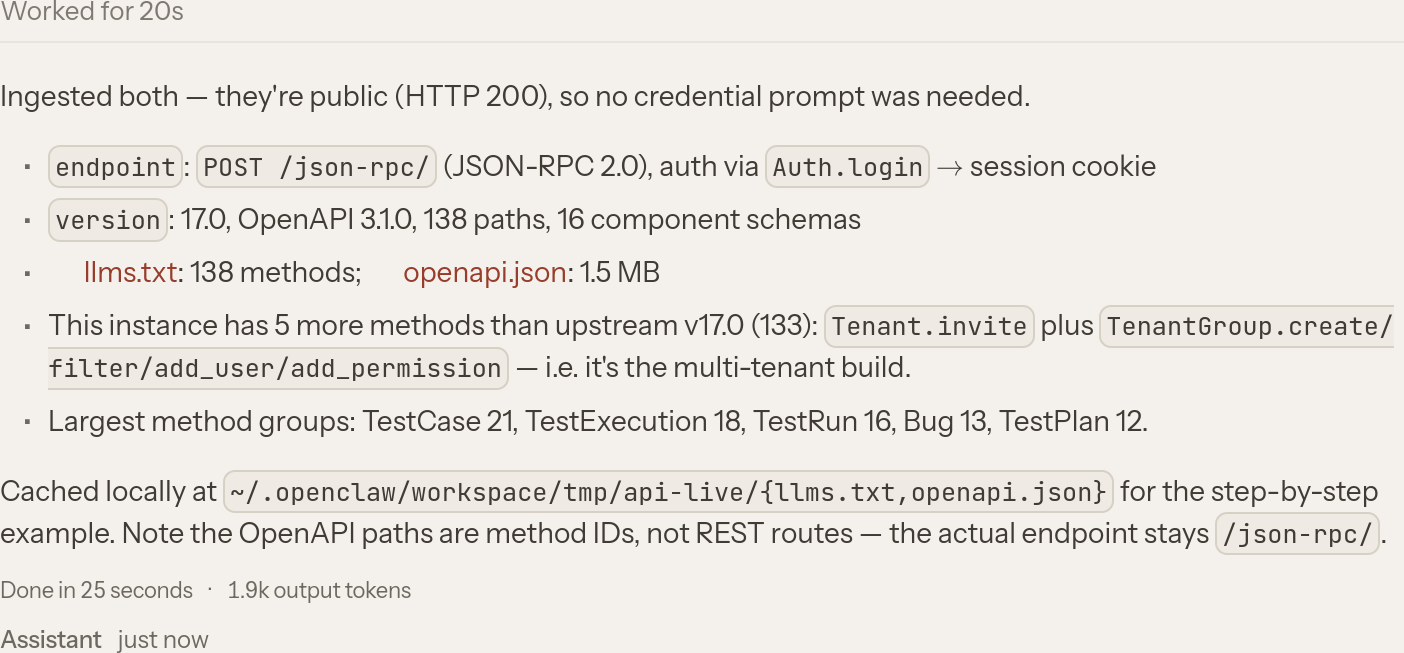
One important detail: the paths in openapi.json identify individual JSON-RPC
methods, they are not REST routes. Every operation is still a POST to
/json-rpc/ with a JSON-RPC envelope, and authentication is still done via
Auth.login, which sets a session cookie. The OpenAPI document exists so that
agents and API tooling can discover the available operations; it does not turn the
API into REST.
How the documentation is built
All of these files are built automatically by the command
manage.py generate_rpc_schema
which runs at build time and writes to STATIC_ROOT/api by default. The command
iterates the registered API methods and combines three sources of information:
- the Python type annotations on each method, including the
ModelQueryandFormValuesannotations which tell the generator that an argument is a set of database field lookups or a form-validated payload; - Database model and form metadata, which is where field types, choices, relations and lookup names come from;
- the method doc-strings, parsed into a summary, parameter descriptions and return values.
The result is converted into JSON Schema fragments, then rendered into the formats above. Because generation happens as part of the build, the files always describe the exact version that is running and they are always in sync with the current implementation. On a Kiwi TCMS v17.0 instance the command reports 133 methods.
IMPORTANT: you should ask your agentic tool to refresh its definitions when new Kiwi TCMS versions are released. Otherwise it may create invalid calls and/or miss on new API methods!
Method files and their examples
The per-method Markdown description is the most useful part when an AI model needs to call one
specific operation. Parameters are listed with their required/optional status and,
where applicable, with examples. For example, TestPlan.filter is documented
with these example queries:
Examples:
    `{}`,
    `{"name__icontains": "..."}`,
    `{"name__in": ["...", "..."]}`,
    `{"id__in": [1, 2, 3]}`,
    `{"id__range": [1, 10]}`,
    `{"is_active": true}`,
    `{"is_active__isnull": false}`,
    `{"create_date__gte": "2026-01-01T00:00:00"}`,
    `{"create_date__year": 2026}`,
    `{"parent__name": "..."}`,
    `{"parent__name__icontains": "..."}`
These examples are not decorative. They are generated from the field types present
on the model and then validated against the internal inspect_rpc_args() function,
i.e. a model can copy one of them into a request without getting an argument-validation error.
The same file also lists the allowed query keys for the method and the relations that can be
traversed:
Allowed query keys:
    `create_date__gte`,
    `id__in`,
    `is_active__isnull`,
    `name__icontains`,
    `parent`,
    `product`,
    `product_version`,
    `text__contains`,
    ...
Relations:
    `author` -> auth.User,
    `parent` -> testplans.TestPlan,
    `product` -> management.Product,
    `product_version` -> management.Version,
    `type` -> testplans.PlanType
Query arguments use the internal ORM lookup syntax - <field>__<lookup> or
<relation>__<field>__<lookup> - so __in takes an array, __isnull a boolean and
__range a two-element array. This is the part that tends to be guessed wrong by
code generators, which is exactly why it is spelled out per method.
What is it useful for
The obvious use case is giving an agent enough context to write a working integration without a human translating the docs first. Here are some straightforward examples:
- Importing existing test cases from another test management system or data dump file(s) -
TestCase.createplusTestPlan.add_case; - Ingesting automated test results from a CI job - parse the logs and create a test run with
TestRun.create, add cases, then report each result withTestExecution.create/TestExecution.update; - Writing your own test runner plugin - the plugin needs to create runs and
report statuses, and can be developed against
llms.txtand the method files; - Producing reports -
TestPlan.filter,TestRun.filterandTestExecution.filtermethods accept powerful lookups without the rigidity of a fixed UI. Extracting data for a custom dashboard, or even inside an AI chat prompt is going to be much more easier.
Because the files are plain text, they are equally useful to people, should you choose to read them:
llms.txt reads as a table of contents for the API, and a per-method Markdown files answers
the question "what arguments does this take, and what does a valid call look like"!
Example session
The following is an example session from MyClaw.ai with the DeepSeek V4.1 Flash model:
Prompt:
>> open a prompt for entering 2 secrets called `KIWITCMS_API_USERNAME` and `KIWITCMS_API_PASSWORD`
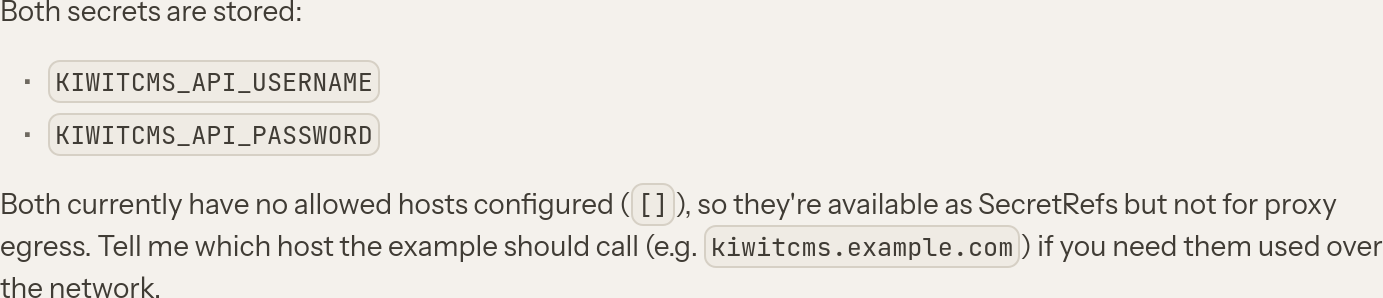
Note that you may also specify Allowed hosts for these secrets. In fact the agent was able to figure this
out and adjust by itself as seen after the first response when it needed to actually call the API.
Prompt:
>> Ingest Kiwi TCMS API description: https://tcms.tenant.kiwitcms.org/static/api/llms.txt and https://tcms.tenant.kiwitcms.org/static/api/openapi.json
Prompt:
>> tell me which products don't have any tests associated with them
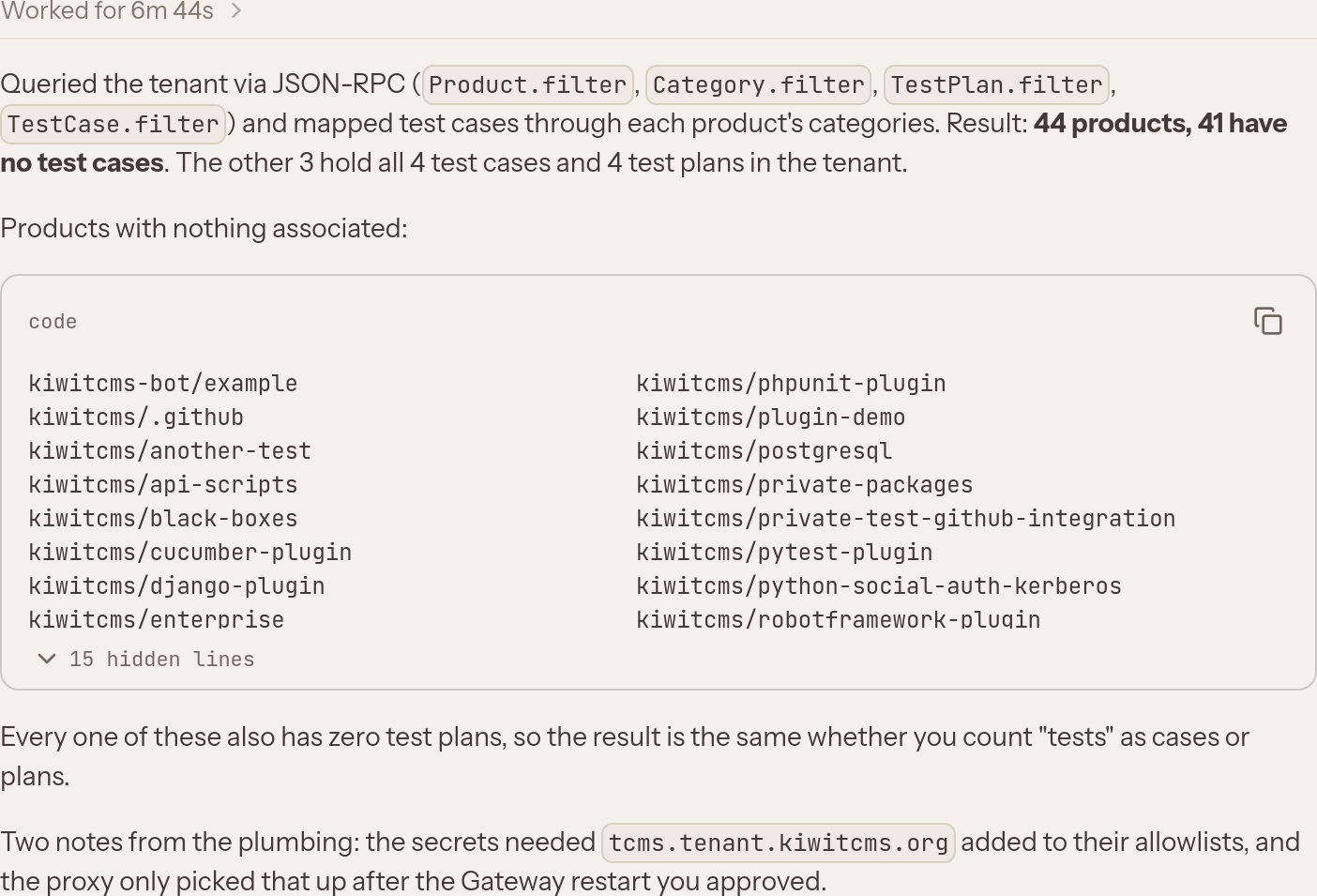
which can be cross referenced by looking at the Search Test Plans page
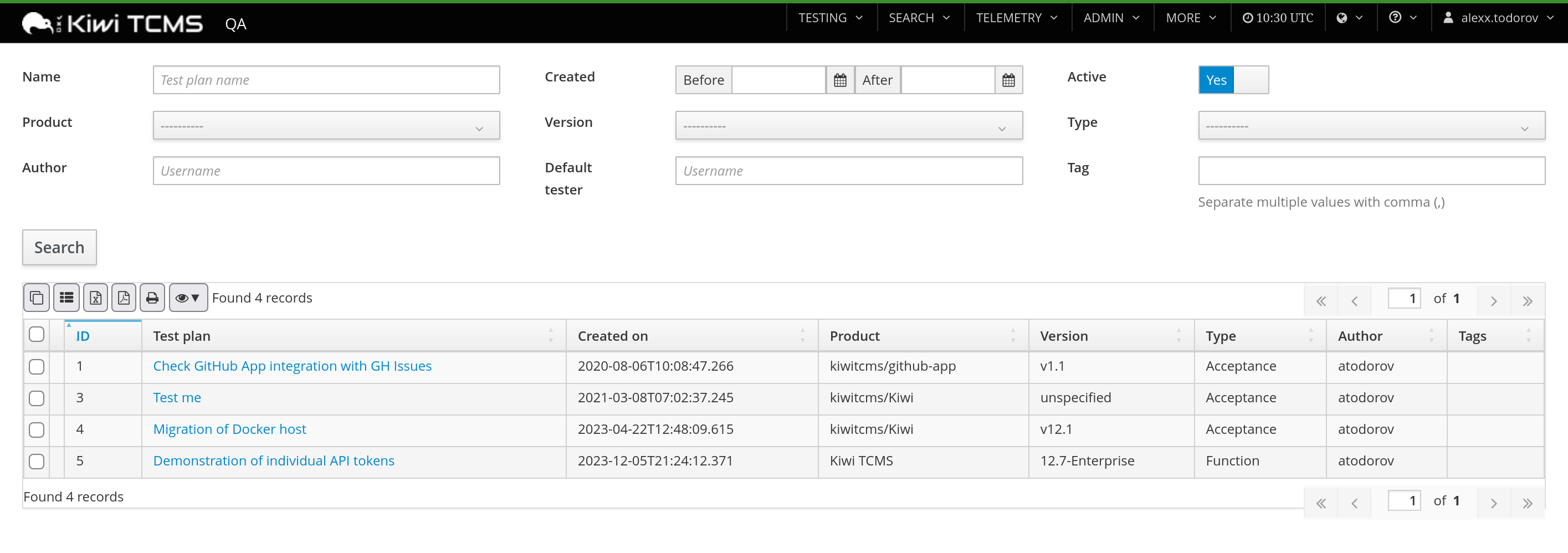
Indeed there are only 3 products for which we have Test Plans and therefore test. Notice how the AI agent actually attempted a slightly broader definition of that it means to "not have tests"!
Prompt:
>> Show me the top-10 most frequently failing test cases
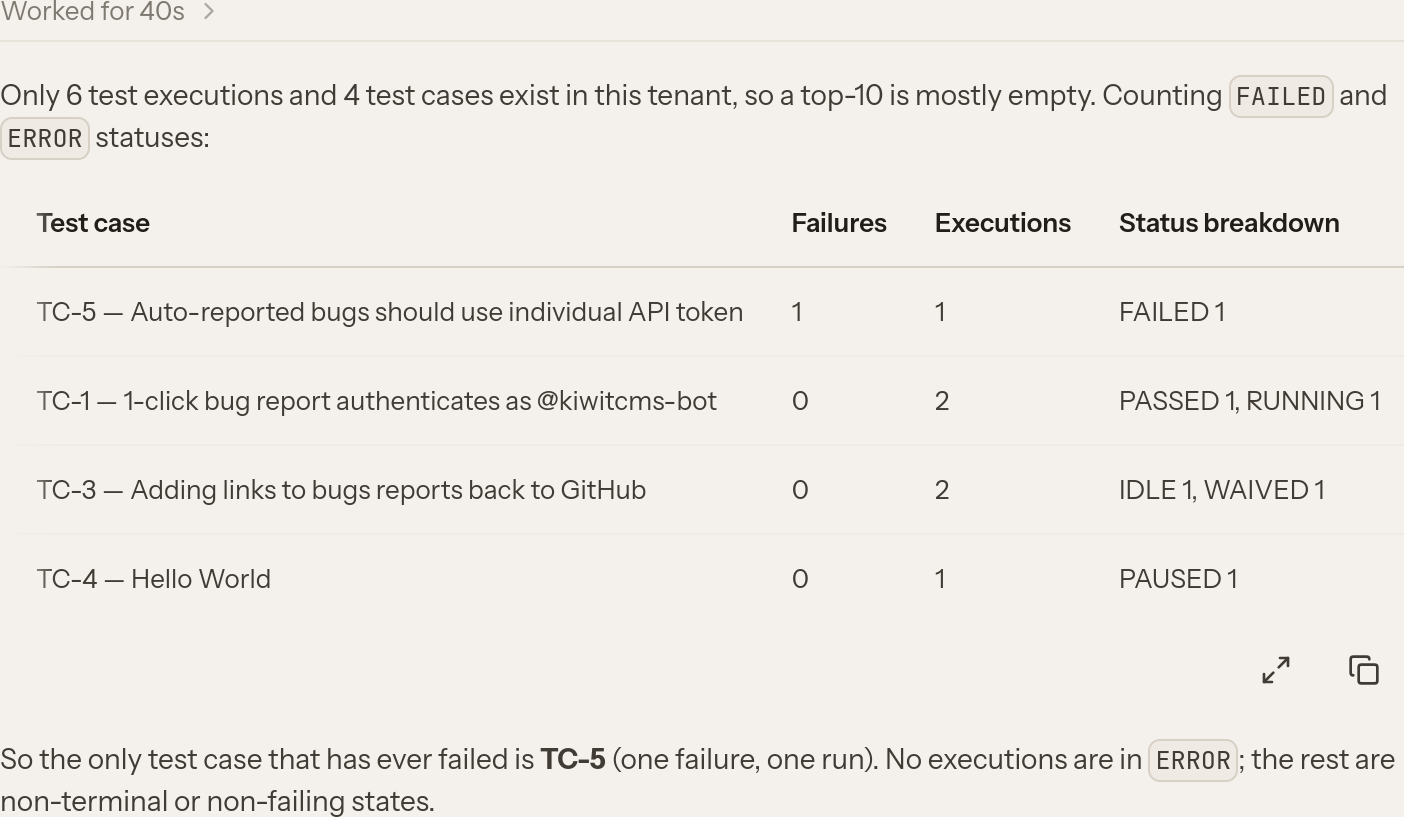
which is the meaning behind the existing TestCase health Telemetry page:
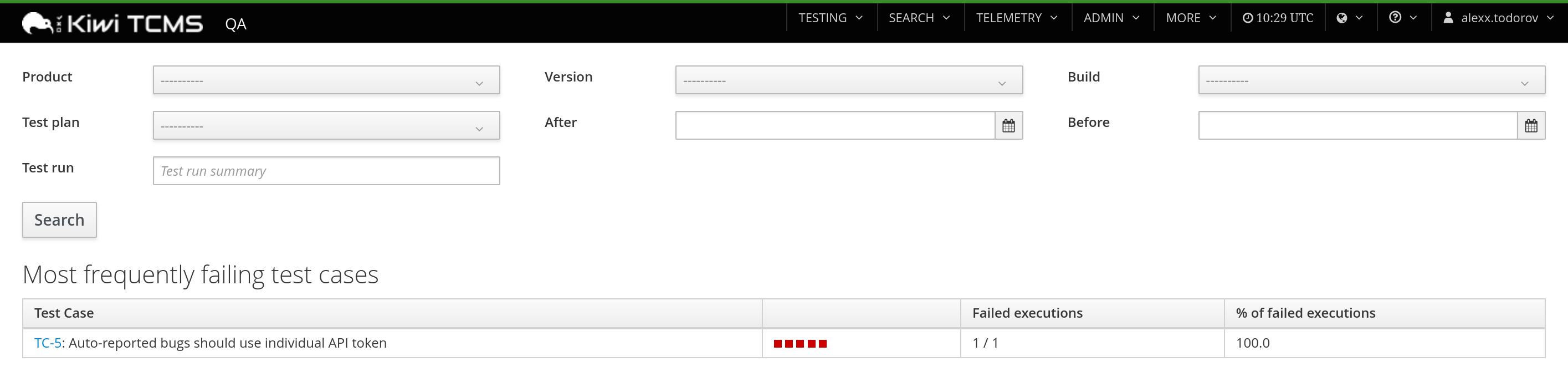
Notice again that the agent is trying to give you a broader response compared to what the actual Telemetry page shows! You may need to refine your prompt if that's what you want!
Underneath all of these examples the agent created several independent programs. In this case it selected Python, most likely because its own environment was already setup for Kiwi TCMS development! Here's how the program which produced the last response looks like:
import json
import os
import ssl
import urllib.request
import http.cookiejar

BASE = "https://tcms.tenant.kiwitcms.org"
CTX = ssl.create_default_context()
JAR = http.cookiejar.CookieJar()
OPENER = urllib.request.build_opener(
    urllib.request.HTTPCookieProcessor(JAR),
    urllib.request.HTTPSHandler(context=CTX),
)

def rpc(method, params=None, _id=1):
    body = json.dumps({"jsonrpc": "2.0", "method": method, "params": params or [], "id": _id}).encode()
    req = urllib.request.Request(BASE + "/json-rpc/", data=body,
                                 headers={
                                     "Content-Type": "application/json",
                                     "Referer": f"{method}@{BASE}",
                                     "User-Agent": "OpenClaw/2026.11",
                                 })
    with OPENER.open(req, timeout=120) as resp:
        data = json.load(resp)
    if "error" in data:
        raise RuntimeError(f"{method}: {data['error']}")
    return data["result"]

rpc("Auth.login", [os.environ["KIWITCMS_API_USERNAME"],
                   os.environ["KIWITCMS_API_PASSWORD"]])

statuses = rpc("TestExecutionStatus.filter", [{}])
execs = rpc("TestExecution.filter", [{}])

print("statuses:", sorted({s["name"] for s in statuses}))
print("executions:", len(execs))
if execs:
    print("execution fields:", sorted(execs[0].keys()))

failing = {"failed", "error"}
agg = {}
for e in execs:
    key = (e["case"], e.get("case__summary") or f'case {e["case"]}')
    a = agg.setdefault(key, {"fail": 0, "total": 0, "statuses": {}})
    a["total"] += 1
    name = (e.get("status__name") or "").strip()
    a["statuses"][name] = a["statuses"].get(name, 0) + 1
    if (e.get("status__name") or "").strip().lower() in failing:
        a["fail"] += 1

rows = sorted(agg.items(), key=lambda kv: (-kv[1]["fail"], kv[0][0]))
print("--- top failing test cases ---")
for (cid, summary), a in rows[:10]:
    print(f'{a["fail"]}\t{a["total"]}\tTC-{cid}\t{summary}\t{a["statuses"]}')
Happy Testing!
If you like what we're doing and how Kiwi TCMS supports various communities please help us!
- Give ⭐ on GitHub;
- Join our newsletter and follow all project news;
- Become a subscriber and help us sustain development
- Become a reseller and help us serve your community