Registration and reseller login
In order to register as a reseller go to the Kiwi TCMS Partner Store and complete the signup process yourself. Usually a Reseller becomes active immediately after registration.
In order to login into Kiwi TCMS Partner Store go to https://login.fastspring.com/identity/auth/login and type the email/password used during registration.
Placing an order
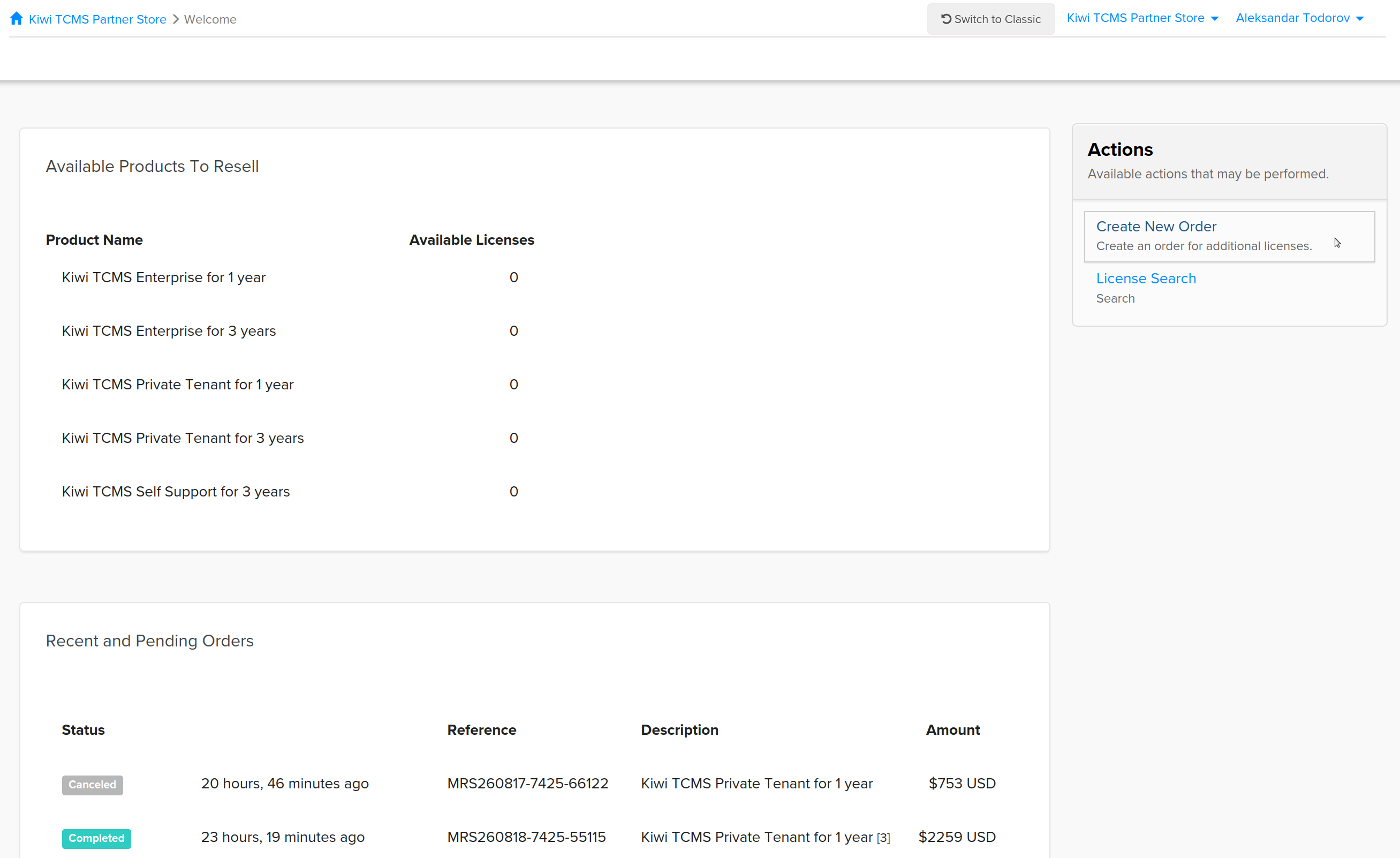
Step 01: Login into Kiwi TCMS Partner Store! You should see the Welcome page:
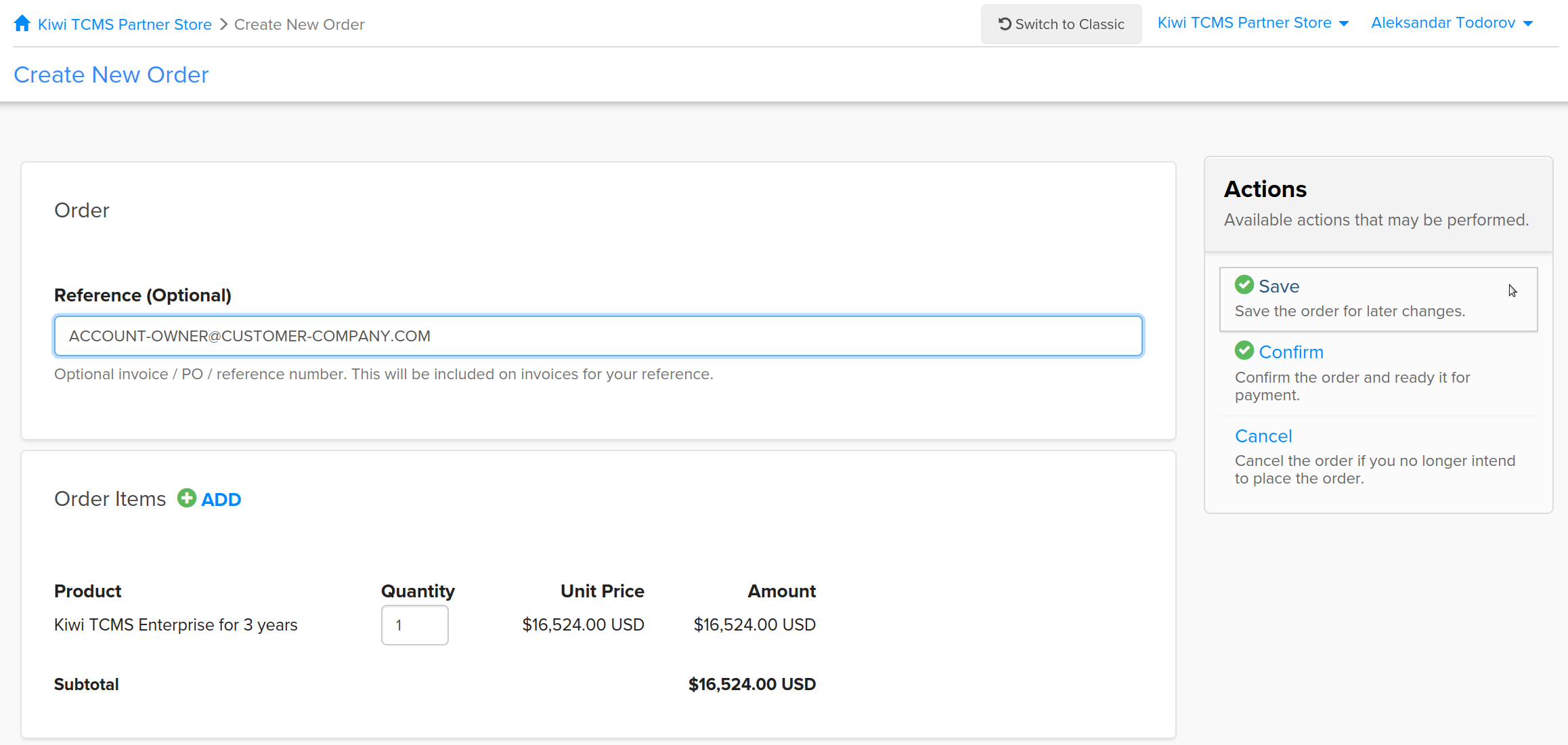
Step 02: Click Create New Order; fill-in the Reference field; select Product; click Save.
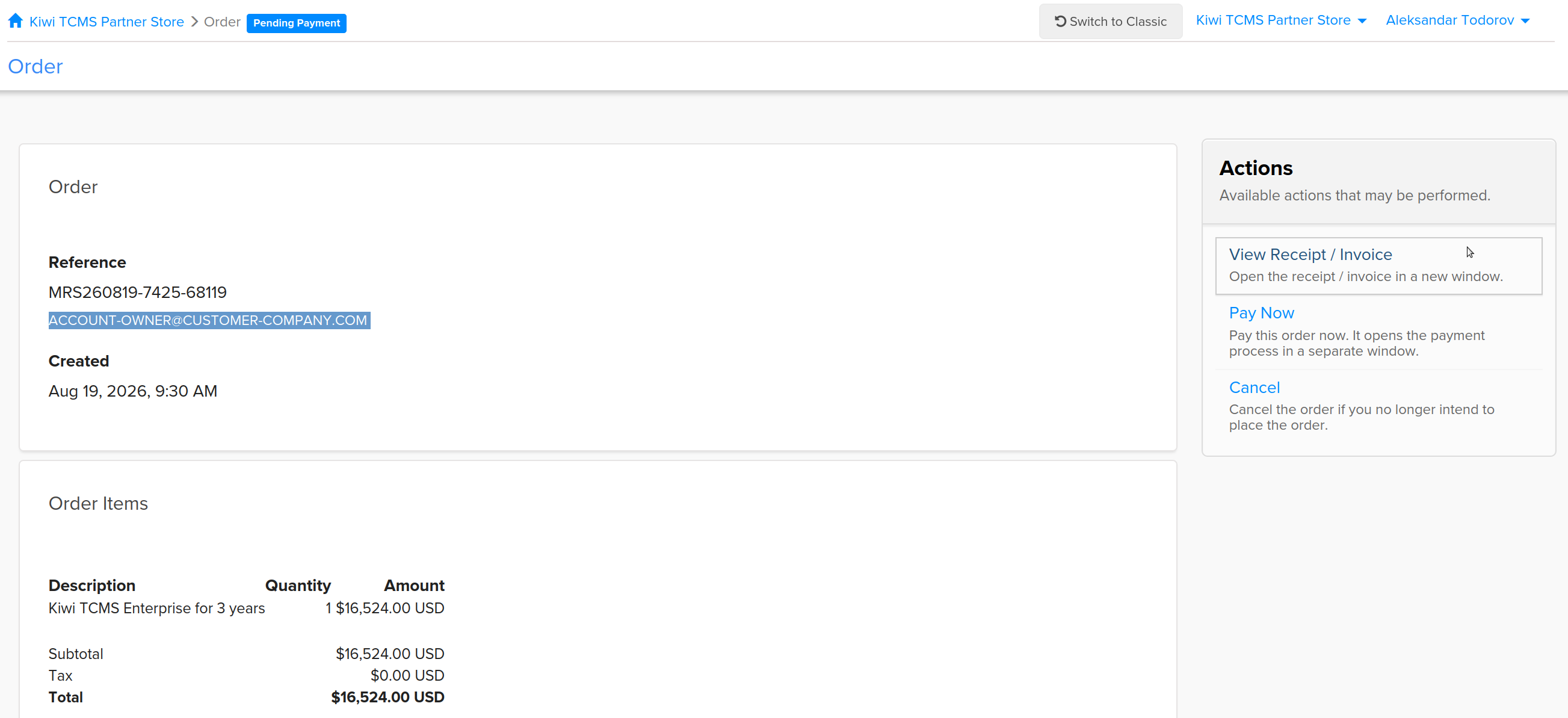
Important: provide end-customer email address in the Reference field;
DO NOT combine multiple products in the same order!
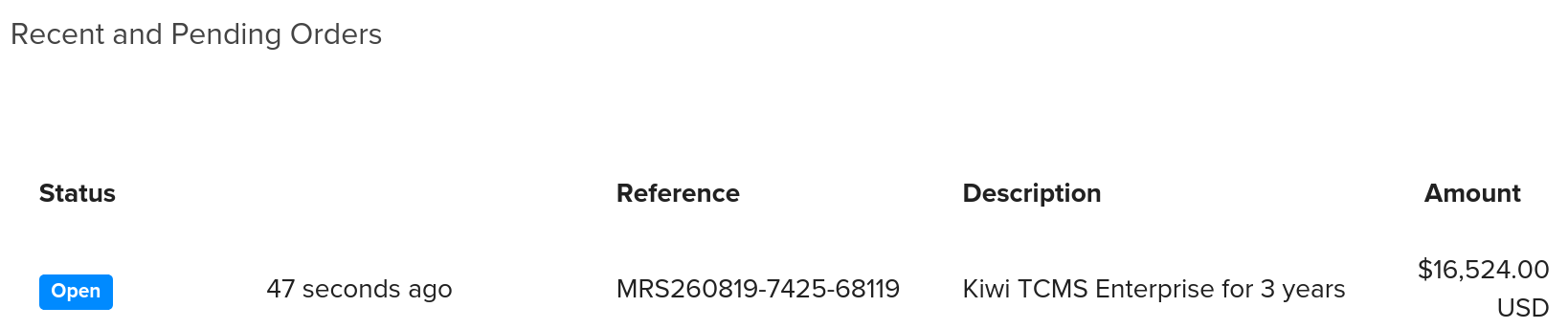
Step 03: Open Order by clicking on it inside the Recent and Pending Orders box
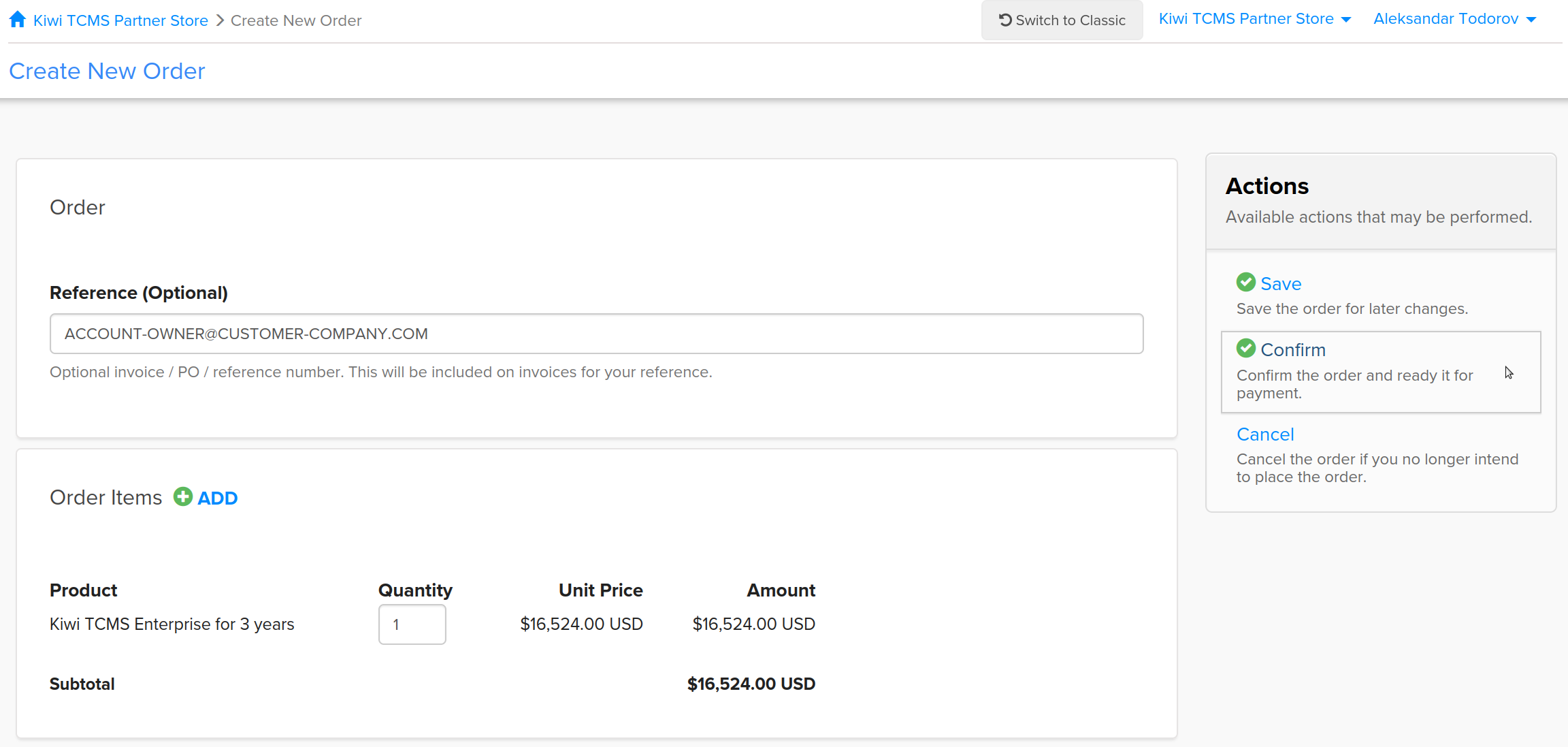
Step 04: Review Order; inspect Reference field; click Confirm
Step 05: Review Pending Order; inspect Reference field; View Receipt/Invoice
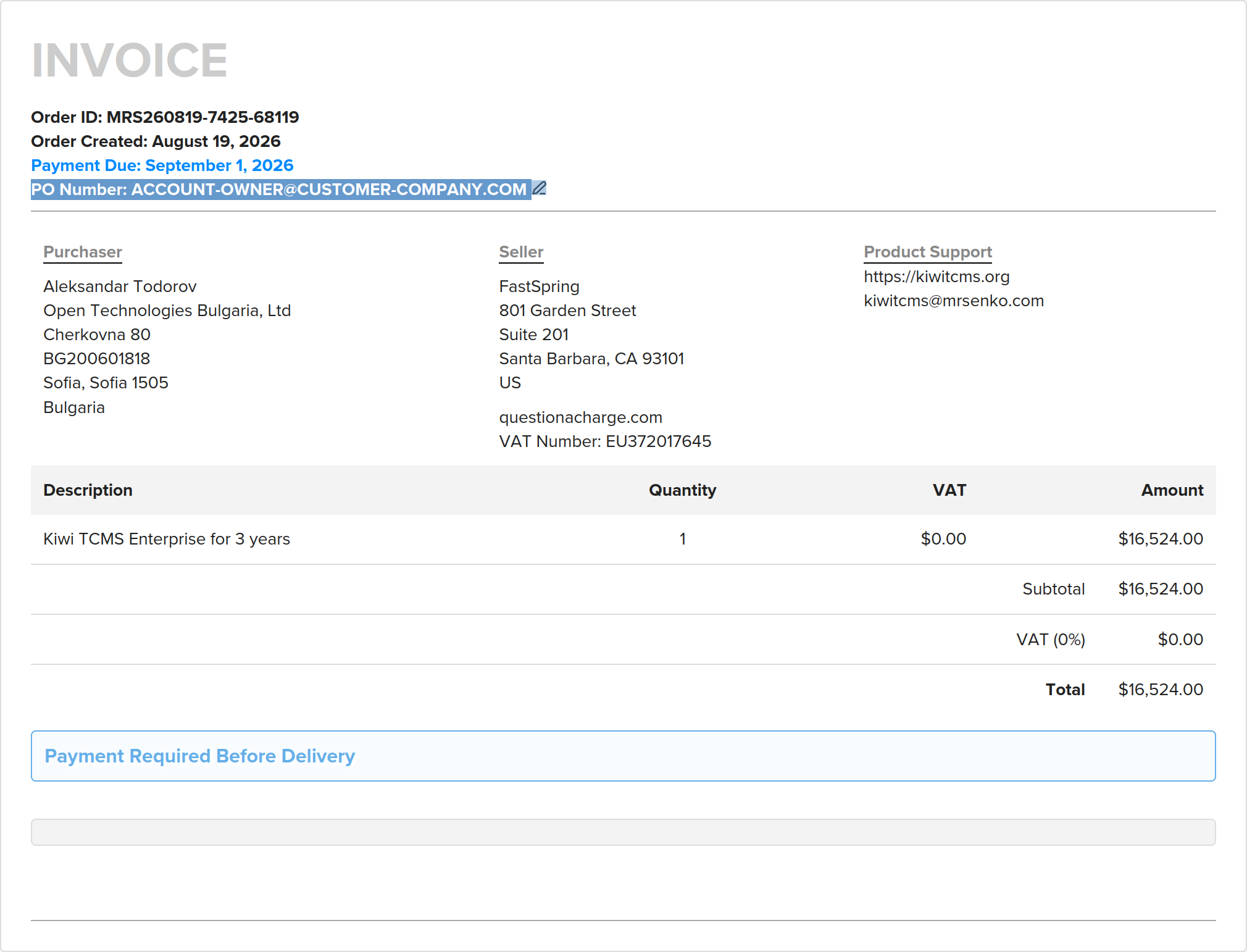
Step 06: Review Invoice; inspect PO Number: field; save it for your own records
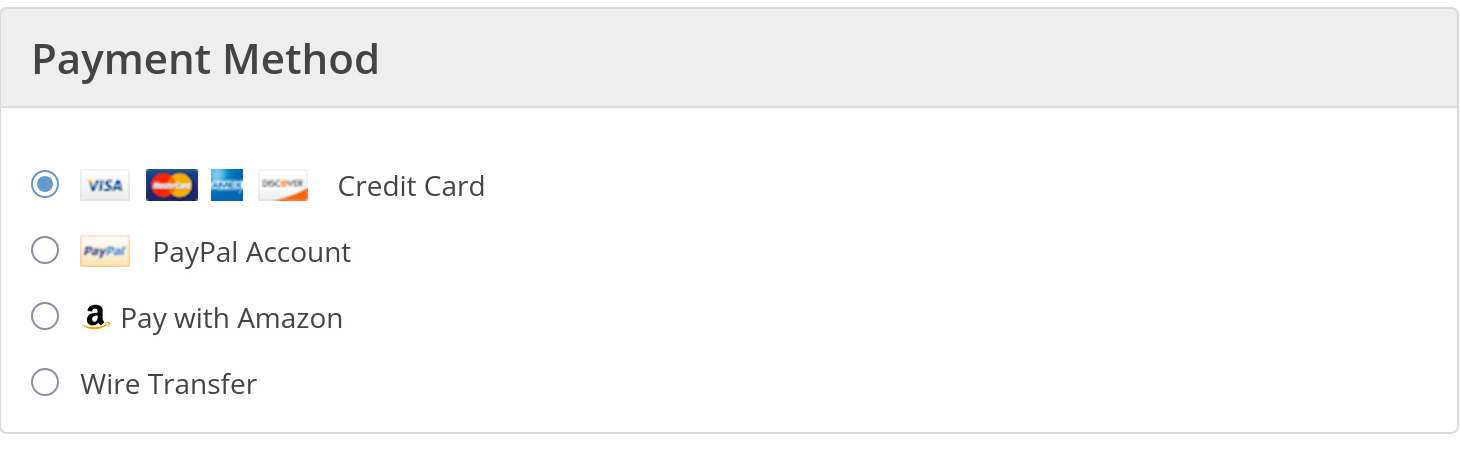
Step 07: Click Pay Now; Kiwi TCMS payment processing backend will enable product access for end-customer email address
Step 08: Follow up with end-customer. Here's an example message, note the [placeholder fields]:
Dear [Customer Name],
thank you for purchasing a Kiwi TCMS subscription with us.

Here's some important information:

1) In case you have never logged in before an account was created for you automatically and
   assigned the same email address used during purchase, [address-from@reference-field.com]!

   You can login with a social account which has the same email address or go to
   https://public.tenant.kiwitcms.org/accounts/passwordreset/ to reset your password.
   The password reset email message also contains your username!

2) Explore your private repository credentials by visiting
   https://public.tenant.kiwitcms.org/github/marketplace/plans/ while logged in.

   For more information about private Docker repositories see https://kiwitcms.org/containers/
   For more information about private package repositories see https://kiwitcms.org/packages/

3) Create your Private Tenant by visiting
   https://public.tenant.kiwitcms.org/github/marketplace/create/tenant/ while logged in.

4) If you are having troubles please contact the Kiwi TCMS support team, see https://kiwitcms.org/support/


Happy Testing,
[Reseller Inc]
Important items
- Kiwi TCMS product delivery is unattended and REQUIRES an email address!
- The Reference field identifies end-customer to Kiwi TCMS. If incorrect or missing digital product delivery WILL NOT work!
- Default price on Kiwi TCMS Partner Store is in USD
- Kiwi TCMS Partner Store may be recalculating price in local currency depending on country
- Subscriptions sold via Kiwi TCMS Partner Store are available in 1 or 3 years intervals only
- Subscriptions sold via Kiwi TCMS Partner Store are not recurring billing items and must be renewed by placing a new order before they expire
- Reseller may convert to local currency and/or charge VAT/tax where required. Price for end-customer should be similar to regular price listed on this website
- Reseller is free to charge additional fee for extra services and value-add offerings they provide to end-customer independently of Kiwi TCMS
- Higher discount tiers will be announced in future based on Reseller volume