For a long time now Kiwi TCMS has supported integration with external issue tracking systems, such as JIRA. This integration is usually configured via bot accounts and their respective credentials and our flagship functionality is 1-click bug report! This is how it looks like:
-
For any TestExecution click on the menu in the corner

-
Select an existing Issue Tracker configuration and click Report bug

-
Your browser will open a new window with the resulting report inside the external Issue Tracker
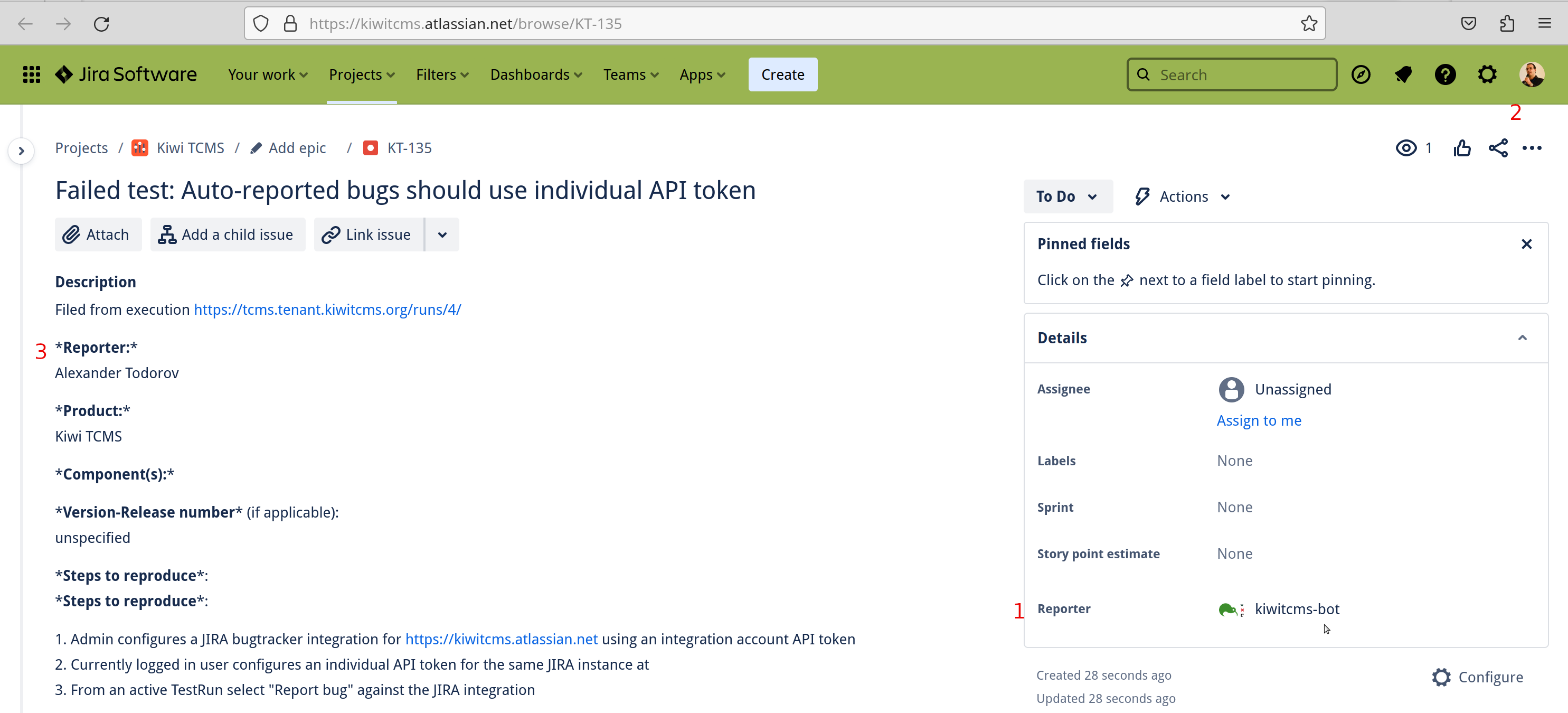
Notice that Reporter (field 1) is kiwitcms-bot although the currently logged in user (field 2) is different. The Reporter text reference (field 3) is the full name of the tester working on the Kiwi TCMS side and may not match neither of fields 1 and 2! This presents a challenge if you are tracking any metrics based on the actual Reporter field in JIRA.
The new Personal API tokens functionality allows Kiwi TCMS users to override existing issue tracker configurations with their own API credentials. Here's how it works:
-
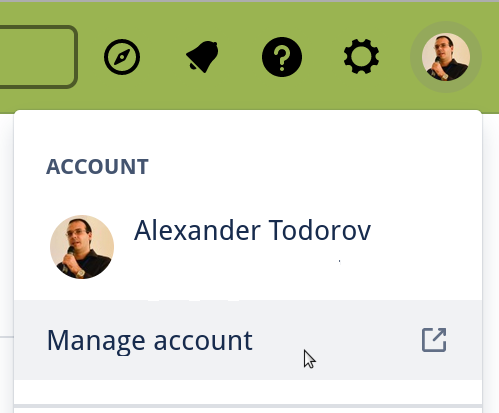
In JIRA click on your account and select Manage account
-
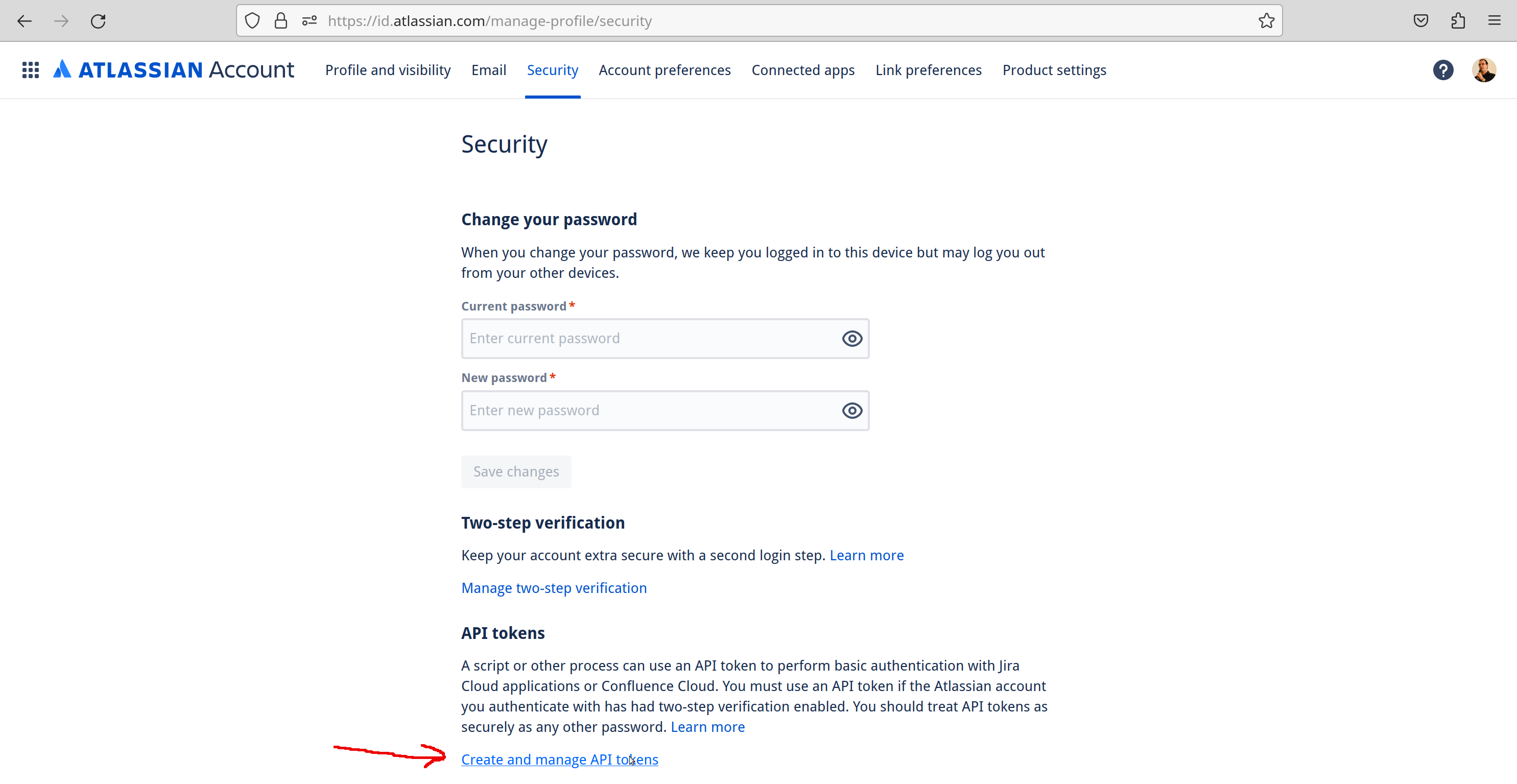
Then select the Security tab

-
Then click on Create and manage API tokens
-
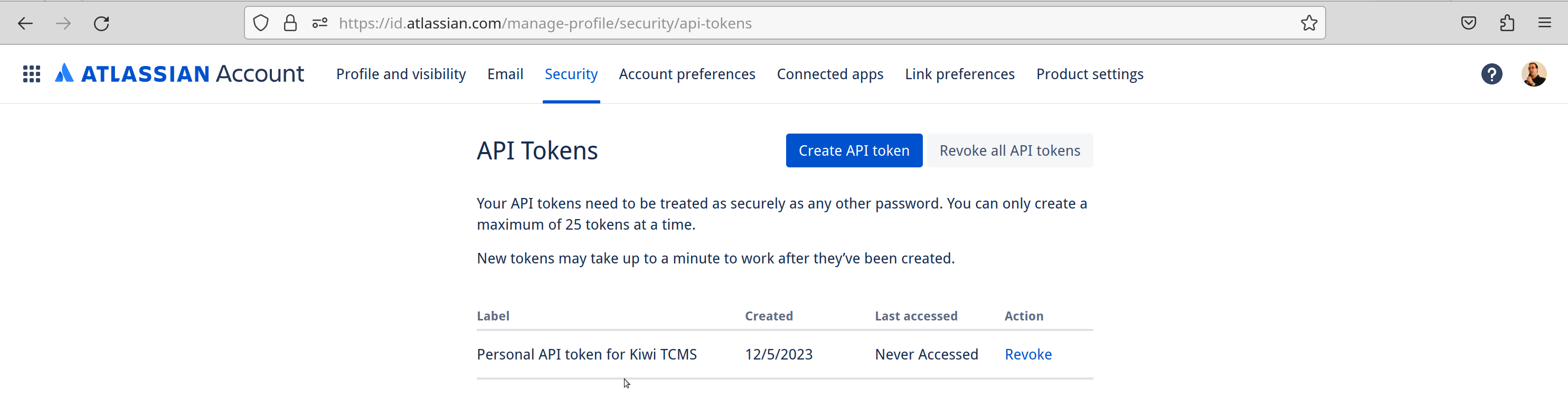
And create a new API token; Copy the token value for use inside Kiwi TCMS!
-
From the Kiwi TCMS navigation menu select PLUGINS -> Personal API tokens

-
Select an existing Issue Tracker via its URL and fill-in your credentials. The drop-down choices represent all Issue Tracker records accessible to the current user across all tenants they are authorized for! For JIRA
api_usernameis your JIRA email andapi_passwordis your JIRA API token. Other issue trackers may only require theapi_passwordfield. The meaning of these fields can be found in documentation for each different type of issue tracker that Kiwi TCMS can integrate with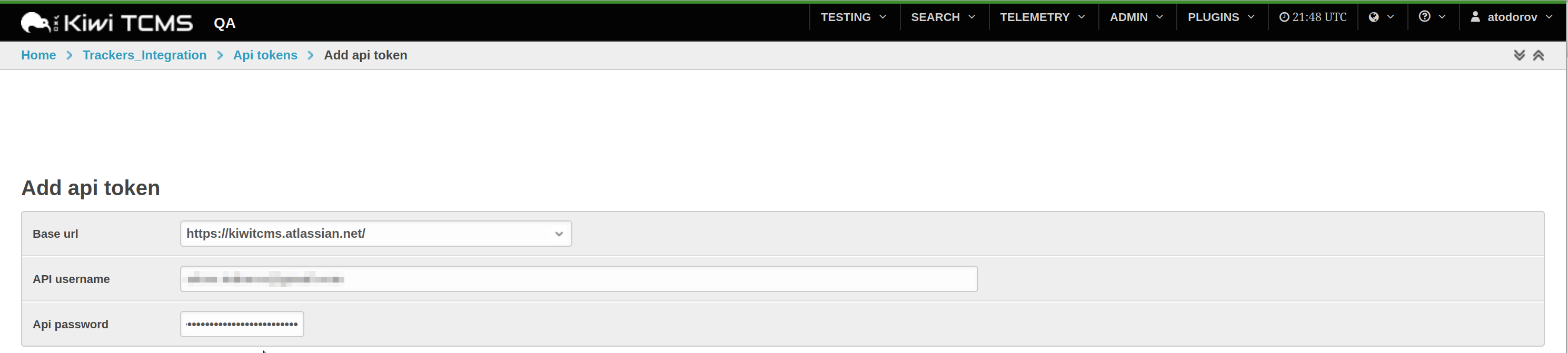
-
Repeat the 1-click bug report steps shown in the beginning. Your browser will open a new window with the resulting report inside JIRA
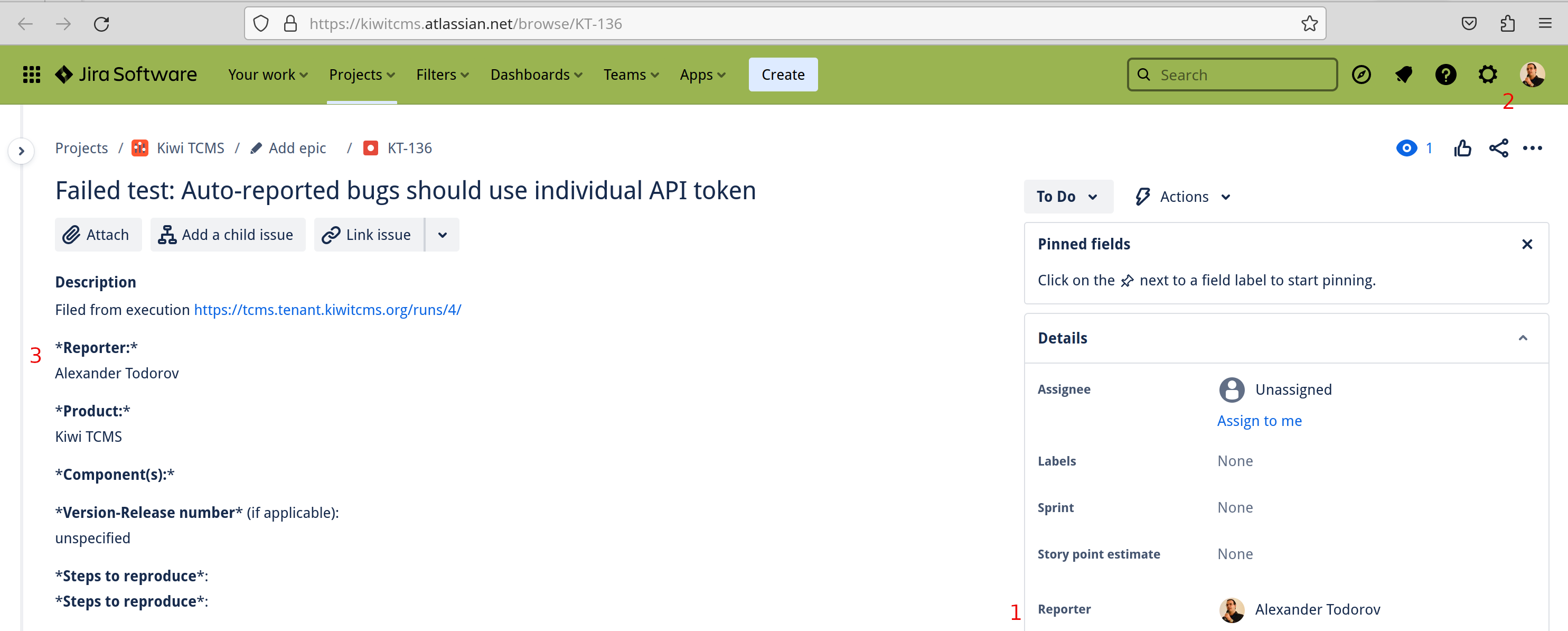
Notice that Reporter (field 1), the currently logged in user (field 2) and the Reporter text reference (field 3) now represent the same person!
Happy Testing!
If you like what we're doing and how Kiwi TCMS supports various communities please help us!
- Give ⭐ on GitHub;
- Give 👍 on GitLab;
- Donate via Open Collective as low as 1 EUR;
- Join our newsletter and follow all project news;
- Become a contributor and an awesome open source hacker;
- Become a customer and we'll share our profits with the community